




If Kali Linux is your operating system of choice to maintain your Cybersecurity, Privacy, or Penetration Testing skills, then you understand the importance of anonymity. One of the tools of choice for staying anonymous on the Internet is the Tor Browser. In this guide, we will look at how to install the Tor Browser in Kali Linux.
This guide is designed for complete beginners. It does not matter how little experience you have with Linux, because this guide is designed to be very easy to follow. In this guide, we will discuss how to install Tor Browser in Kali Linux, install errors, and general suggestions.
What is Tor Browser and Why Use It?
Before learning how to install Tor Browser in Kali Linux, it’s important to understand what Tor actually is.
The Onion Router (TOR) is a browser, just like any other. However, to protect your identity, it will divert your internet traffic through other ‘nodes’ or ‘routes’. This is what makes it difficult for nefarious users to track you and your activities.
Tor Browser Advantages for Kali Linux Users
- Advanced anonymous browsing (no user fingerprinting)
- Advanced private browsing (no traffic monitoring)
- Useful exterior testing of a service or device
- Route traffic through regions not covered by a VPN
- Mask your traffic by obscuring your source IP
For those in the Cybersecurity Field, the use of the Tor Browser is a requirement.
What to Do Before You Install Tor Browser in Kali Linux
Before you begin how to install Tor Browser in Kali Linux, be sure to complete the necessary preparations.
1. System Update
Kali Linux needs to be updated every time before new software is installed:
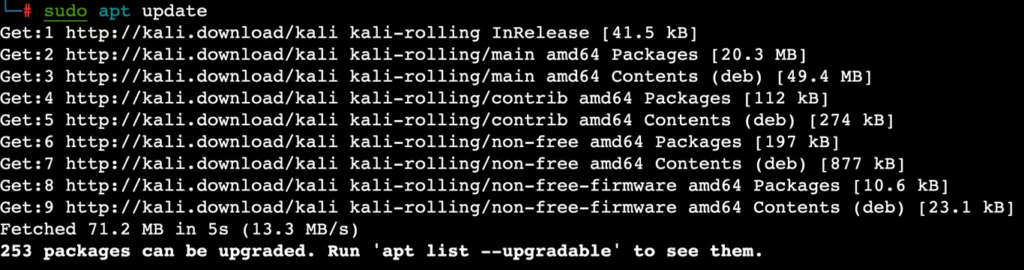
sudo apt update && sudo apt upgrade -y2. Internet Connection
Installing Tor requires downloading some files, so ensure that your Internet is working.
3. Disk Space
Check that you have sufficient space (200–300 MB) on your drive.
Method 1: Installing Tor Browser on Kali Linux Using APT (Simplest Method)
This is the easiest way to install Tor Browser on Kali Linux.
Step 1: Installing Tor
sudo apt install tor -yStep 2: Installing Tor Browser Launcher
sudo apt install torbrowser-launcher -yStep 3: Launching Tor Browser
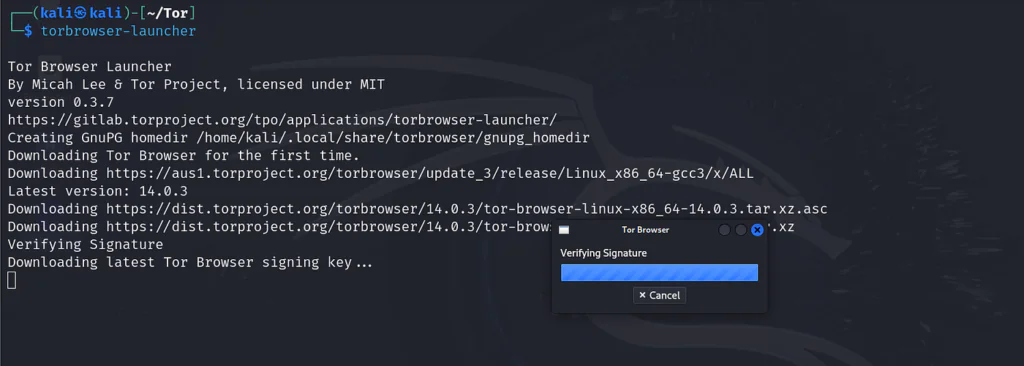
torbrowser-launcher
This command will automatically fetch the latest version of Tor Browser and install it.
Advantages of this Method
- It is simple and easy for beginners
- It will automatically make updates
- There is no configuration needed
This is the best method for beginners learning how to install Tor Browser on Kali Linux.
Method 2: Installing Tor Browser on Kali Linux Manually (Advanced Method)
You can choose to install Tor Browser on Kali Linux manually to have more flexibility.
Step 1: Download the Tor Browser
You can visit the Tor website and download the Linux version. Using the terminal, you can run:
wget https://www.torproject.org/dist/torbrowser/linux/tor-browser-linux64.tar.xzStep 2: Extract the Downloaded File
Use the command:
tar -xvf tor-browser-linux64.tar.xzStep 3: Open the Downloaded Folder
Use the command:
cd tor-browserStep 4: Open the Tor Browser
Use the command:
./start-tor-browser.desktopAdvantage of Manual Installation
- Full control over the directories and files
- The ability to use personalized version
- Easily works without dealing with repo issues
This is the ideal method for more experienced users wanting to learn about how to install tor browser in kali linux.
Method 3: Using Flatpak (Optional)
A more up to date method for installing Tor Browser in Kali Linux is by utilizing Flatpak.
Step 1: Install Flatpak
Run the command:
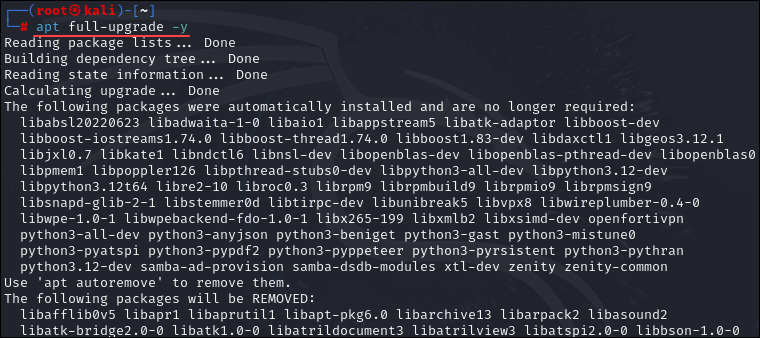
sudo apt install flatpak -yStep 2: Add the Flathub Repo
You can use:
flatpak remote-add --if-not-exists flathub https://flathub.org/repo/flathub.flatpakrepoStep 3: Tor Browser Installation
Run:
flatpak install flathub com.github.micahflee.torbrowser-launcherStep 4: Launch the Tor Browser
Use the command:
flatpak run com.github.micahflee.torbrowser-launcherOpening Tor Browser Post Installation
Once you install Tor Browser in Kali Linux, you have two ways to open it.
Terminal Method
You can use:
torbrowser-launcherGUI Method
- Open Applications
- Type “Tor Browser” in the search bar
- Click on it to launch
Common Issues When Installing Tor Browser in Kali Linux
While learning how to install Tor Browser in Kali Linux, you might run into some issues. Here are common problems and their solutions:
1. Package Not Found Error
Solution:
sudo apt update2. Permission Denied Error
Solution:
Append commands with sudo.
3. Slower Download Speed or Connection Problems
- Check your internet service
- Try again later
- Switch to a different network
4. Tor Cannot Connect
- Restart Tor
- Check your Firewall settings
- Try to use bridges
How to Update Tor Browser in Kali Linux
Keeping your Tor Browser updated is essential after you install Tor Browser in Kali Linux.
Update with APT
sudo apt update && sudo apt upgrade -yUpdate with Launcher
In most cases, Tor Browser Launcher updates automatically.
Things to Do After Installing Tor Browser
After you complete how to install Tor Browser in Kali Linux, consider the following:
- Do not install additional extensions
- Do not log in to your personal accounts
- Prefer websites with HTTPS
- Update your system regularly
- Avoid downloading files from unknown sources
Is It Safe to Use Tor Browser on Kali Linux?
Yes, it is completely safe to install Tor Browser in Kali Linux, but how safe it will be depends on you.
Tor offers a good level of anonymity, but:
- Your actions should be private
- Avoid engaging in illegal activities
- It is required to be ethical
Why Do Hackers and Security Professionals Use Tor?
If you are learning how to install Tor Browser in Kali Linux, you may wonder this.
Tor is used for:
- Anonymous research
- Dark web exploration
- Security evaluations
- Privacy safeguarding
How Often Should You Use the Tor Browser?
There are no strict rules, but:
- Use Tor for tasks that require privacy
- Do not use Tor for regular browsing
Benefits of Using Tor in Kali Linux
- Excellent privacy
- Automatic encryption
- Free software
- Simple installation
- Good integration with Kali tools
Cons of Using Tor Browser
- Limited browsing speed
- Many sites block Tor
- You are not fully anonymous
Conclusion
You now know the methods of installing Tor Browser in Kali Linux and can choose what works best for you. Whether you use the APT method or the manual method, the process is straightforward.
Beginners should try the launcher method, while the manual method is better for those who want more control.
Understanding how to install Tor Browser in Kali Linux is essential for anyone interested in online privacy, ethical hacking, or cybersecurity.
Final Thoughts
Understanding how to install Tor Browser in Kali Linux is important for anonymous browsing. Kali Linux combined with Tor Browser provides a powerful and secure browsing environment.
Keep your system updated and use Tor responsibly. It can be a powerful tool to protect your identity online.




I learned something new from this post.