

Kali Linux suffers no competition in penetration testing and is one of the most excellent OSs for cyber security. System updates are critical to every user and every level. In this guide, we will describe the how and why of updates, and the most efficient methods.
Kali Linux, Updates, and Upgrades
There is a certain level of familiarity expected to associate Linux and Kali.
- Updates overhaul system package lists.
- Upgrades ensure the system has the most recent tools.
Together, updates and upgrades provide a well-equipped and bolstered system.
Kali Linux, Update and Upgrade Justifications
- System security: As a penetration testing operating system, Kali has many exploitable vulnerabilities that are routinely patched.
- Entry to new features and tools: Bug fixes and other updates bring new features. Upgrades include the newest tools.
- Persistent issues and annoyances are reduced: Updates and upgrades lessen the bugs of software, including Kali Linux tools.
Kali Linux comes with hundreds of tools, and that number is constantly evolving. Updating assures you that all tools are efficient and up to date.
Kali Linux: A Guide to Updating and Upgrading
Kali Linux makes updating and upgrading easy. Here’s how to do it in the terminal:
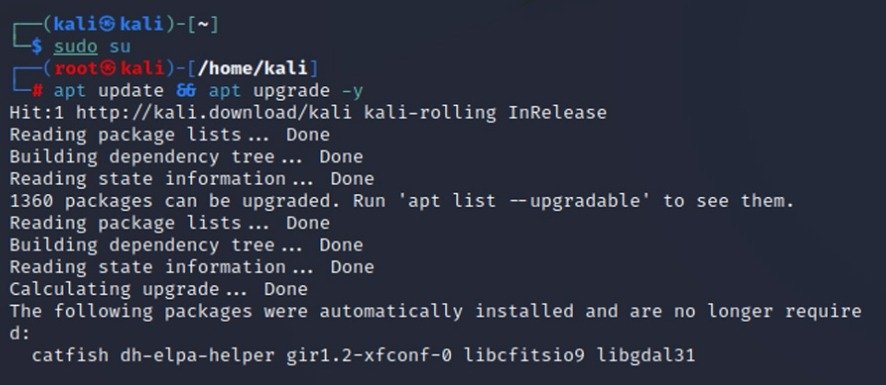
Step 1: Update Your Package List
sudo apt updateStep 2: Upgrade Your Package Versions
sudo apt upgrade -yThis command installs the newest versions of all your packages.
Step 3: Full Upgrade (Highly Recommended)
sudo apt full-upgrade -yThis command ensures all dependencies are handled properly and updated correctly.
Upgrade vs. Full Upgrade
Most people are confused about these two commands:
- apt upgrade: Upgrades all packages but does not remove anything.
- apt full-upgrade: Upgrades packages and, if needed, removes or installs new packages.
Always use full-upgrade to do your updates.
Cleaning After Updating and Upgrading
To clean all remnants after your update and upgrade:
sudo apt autoremove -ysudo apt cleanThis frees up disk space and optimizes performance.
How Often Should You Update and Upgrade Kali Linux?
- Weekly for most normal users
- Daily for penetration testing professionals
To keep your software policies updated, do regular updates.
Common Updating and Upgrading Issues
1. Broken Packages
sudo apt --fix-broken install2. Repository Issues
Double-check your repositories:
sudo nano etc/apt/sources.listIt is best practice to use official repositories.
3. Lock Errors
If apt is being used by another process:
sudo rm /var/lib/dpkg/lockUpdating Kali Linux from Older Versions
If you are using an older version:
sudo apt updatesudo apt full-upgrade -yThen reboot:
sudo rebootGraphical Method to Update and Upgrade Kali Linux
For beginners who don’t want to use the terminal:
- Open Software Updater
- Click Refresh
- Click Install Updates
The terminal method is faster and more reliable.
Best Practices for Update and Upgrade Kali Linux
- Use only official repositories
- Back up your data (documents, pictures)
- Use good internet for smooth updates
- Do not interrupt the update process
Automating Update and Upgrade Kali Linux
To automate updates using cron jobs:
crontab -eAdd:
0 2 * * * sudo apt update && sudo apt full-upgrade -yThis will update your system at 2 AM.
Why Regular Updates are Important in Cybersecurity
Failing to update Kali Linux can become a grave risk because:
- You can easily miss critical updates
- You will not detect new vulnerabilities with outdated tools
- Performance can become poor
Updating is not optional if you want to stay up to date.
Questions
Yes, using only official repositories is safe.
No, your personal files are safe.
Yes, internet is required.
Conclusion
To keep your Kali Linux system updated, secure, and performing well with the latest tools, regularly performing updates and upgrades is important. This practice is especially helpful for beginner users.
Make updating and upgrading a routine to ensure smooth performance and security.