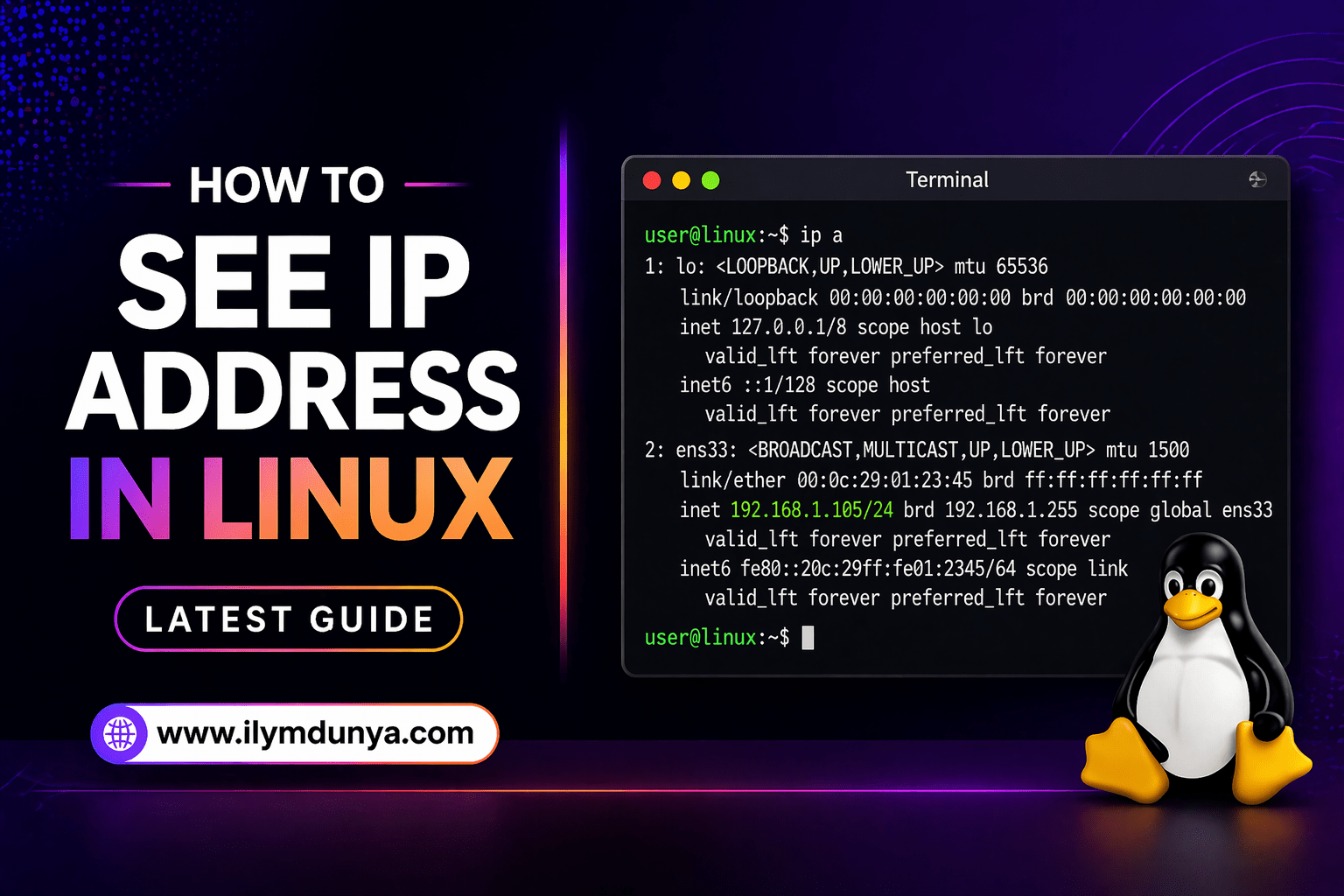

If you are on Linux, you should learn how to find the native IP address in Linux. When you find native IP in Linux, you have many different applications. You can troubleshoot different issues in your network, learn the configuration in your network, or even find problems with your server. It is very important to learn how to read the native IP address in Linux.
In this in-depth article, you will find every bit of information you will need to find native IP Linux address. There are different methodologies and commands, and many different ways to learn how you can find native IP of your Linux server.
IP Address: What Is It?
How about we quickly learn about the IP address before we get a little more technical?
The full definition of what IP means is Internet Protocol Address. Every device you use will get a different set of numbers when connected to any network. When using a network for your device, numbers get assigned to you, and the numbers are how devices on the network or on the internet use to reach your device.
There are a few different types of IP Addresses:
- Private IP Address
- Public IP Address
Private IP Address is used on local and internal networks. Public IP Addresses are assigned by your Internet Service Provider and are used for communication over the internet.
Use for IP Address Knowledge in Linux
There are tons of reasons to know your IP Address such as:
- Troubleshooting network issues
- Setting up servers or SSH connections
- Configuring firewalls
- Managing cloud or VPS systems
- Debugging connectivity
Creating problems for yourself by not knowing how to find your IP Address in Linux is not the long game, so don’t go that route.
Method 1: Check IP Address with the Command (This is the Expected Method)
The command is the preferred command which you can use to check your IP address in Linux.
Command:
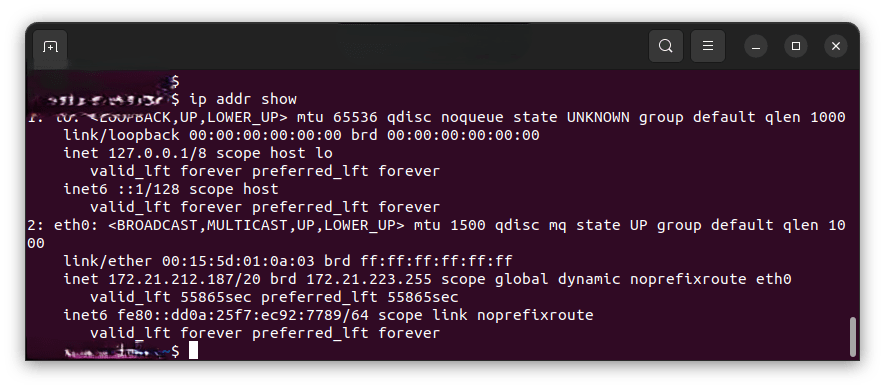
ip addr showThe server displays a list of network interfaces and IP Addresses.
Example Output:
2: eth0: <BROADCAST,MULTICAST,UP,LOWER_UP>
    inet 192.168.1.10/24
Explanation:
192.168.1.10is your IP Address
For the short version, you can use:
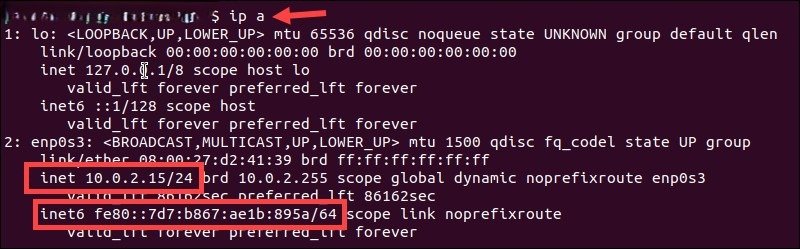
ip aMethod 2: the Command hostname -I
Another simple and fast way to check your IP Address is:
hostname -IExample Output:
192.168.1.10This command prints your system IP Address.
Method 3: the Command Ifconfig
This is another way you can find your IP Address and is preferred by some users.
Command:
ifconfigIf this is not installed:
sudo apt install net-toolsExpected Output:
inet 192.168.1.10Method 4: Public IP Address Check
Use a website or terminal command to check your public IP address.
curl ifconfig.meor
curl ipinfo.io/ipThese commands will show your public IP, which is different from your private IP.
Method 5: Using nmcli Command
If you are using NetworkManager:
nmcli -p device showThis is another useful method for checking IP address in Linux.
Understanding Output of IP Commands
When using commands like ip addr, you may see:
lo – Loopback interface (127.0.0.1)
eth0 / ens33 – Wired connection
wlan0 – Wireless connection
You should focus on:
inet xxx.xxx.xxx.xxxThis is your actual IP address.
How to Check IP for Specific Interface
If your system has multiple interfaces:
ip addr show eth0or
ip addr show wlan0This is useful for servers and advanced networking.
Linux Distribution Notes
Ubuntu
Best options:
ip ahostname -IGUI Method:
- Go to Settings
- Click Network
- View IP Address
CentOS / Red Hat
ip addrnmcliKali Linux
ip aifconfigCommon Mistakes
Beginners usually make the following mistakes:
- Misunderstanding public vs private IP
- Not installing required tools
- Focusing on loopback address (127.0.0.1)
- Not identifying the correct interface
Tips for Beginners
- Use
ip a(modern command) - Use
hostname -I(quick method) - Use
curlfor public IP - Learn interface differences
Real-World Use Cases
Linux IP knowledge is useful for:
- Website creation
- SSH connections
- Server management
- Cloud services (AWS, Azure, etc.)
- Networking labs
Summary
Knowing how to find your IP address in Linux can be simple:
ip addr→ Best methodhostname -I→ Quick methodifconfig→ Older but usefulcurl→ Public IP
Final Thought
Linux learning involves understanding how to check your IP address, which helps in mastering networking concepts.
Both beginners and experts can benefit from practicing regularly and improving their skills over time.