
When transitioning from a physical SIM card to an eSIM, a common question is, how long to activate eSIM? In most cases, it takes anywhere between 5 minutes to 30 minutes to have the activation QR code or carrier activation code. In some cases, activation happens almost instantaneously, while in others it can take several hours due to various delays such as carrier checks, a slow or unstable internet connection, issues with your device, or delays with your number transfer.
The definition of “activation” is also not very clear and can mean many different things. For one person, “activation” can mean scanning a QR code and getting a signal in five minutes, while for another it can mean going to a carrier franchise, going through biometric verification, waiting for the carrier to map the eSIM profile, and then finally scanning the QR code.
This guide also includes examples for iPhone, Samsung, Pakistani networks, travel eSIMs, and frequent activation issues.
What Even is an eSIM and Why Does Activation Time Differ?
An eSIM is a digital, embedded SIM card. Rather than using a physical SIM card, a mobile plan can be downloaded and stored on your device.
While this process is simple, there are many things that have to occur before your phone can ultimately connect to a mobile network.
For instance, a travel eSIM from an application may have a fast activation process because you purchase the data plan online, receive the QR code, scan it, and are able to connect once you are in the country the plan supports. Local mobile number conversions are a bit more complex. The carrier may have to confirm your identity, decommission your old SIM, assign the number to the eSIM profile, and make updates in the network records.
This is also the reason two people may say they have “activated an eSIM” even though the processes they went through are completely different.
Here are the major factors that influence activation time:
- Your mobile carrier
- Your phone model
- New number vs. existing number conversion
- Whether biometric verification is needed
- Internet speed during the process
- Whether you are scanning a QR code or using a Carrier Auto Activation
- Network delays, load, or backend delays
- Whether your device is carrier-locked
- Whether you are transferring from another phone
Apple’s iPhone has eSIM Carrier Activation, eSIM Quick Transfer, and eSIM QR code and manual entry setup options. Samsung Galaxy also have QR eSIM installation support through the SIM Manager.
How Long Does It Usually Take to Activate eSIM?
The honest answer is usually 5 to 30 minutes, but delays do happen.
Typically, the download and activation steps for QR code setup will take just a few minutes. When the eSIM is provisioned by the carrier, the phone only needs to download the profile and register to the network.
For macro conversions, which often require biometric validation, the process takes longer. While you may be able to complete the phone setup in just a few minutes, the work done by the carrier will delay the functionality of calls, texts, and mobile data.
The expected time for each process is as follows:
- Travel eSIM data plan: 2 to 10 minutes after receipt of QR code
- New eSIM number from a carrier: 5 to 30 minutes
- Physical SIM to eSIM conversion: 15 minutes to a few hours
- iPhone-to-iPhone eSIM transfer: fast but dependent on carrier approval
- Failed or delayed setup: several hours to as long as 24 hours
- Activation with in-store verification: dependent on store processing
Jazz Pakistan, for instance, claims that after registration and QR code scanning the eSIM will be active in 5 minutes. Zong’s process entails visiting a customer service center/franchise to complete BVS verification, receiving a physical QR voucher, and scanning it on their phone. Ufone claims the same as Zong by stating that verification is required before the scanning of the QR code.
This leads to a more appropriate question: How long will my carrier take to issue, verify, download, and register my eSIM?
As you can see, there are multiple steps to this process.
What Happens During eSIM Activation?
A key misconception is that scanning the QR code is the start of the eSIM activation process. The reality is that the process is a two-sided transaction: the carrier and the phone.
Let’s look at the carrier side process first. To start, your carrier assigns or generates an eSIM profile, which is associated with a number or a data plan. If the request is to migrate a data service or a number from a traditional SIM, your carrier must move that number to the eSIM service. In some countries such as Pakistan, this process may also require biometric verification to be completed at an in-person service center.
Now let’s look at the phone side process. The eSIM is added through the settings of the device. The profile is downloaded and stored, and a connection to the carrier’s network is established. Once the network accepts the profile, signal bars appear.
The flow for this process is listed below:
- You request an eSIM from your carrier.
- The carrier verifies your identity or account.
- You receive a QR code, activation code, or an automatic activation request.
- Your phone connects to Wi-Fi or mobile data.
- You scan the QR code or choose the assigned carrier eSIM.
- The eSIM profile is downloaded to your device.
- Your device is registered to the network.
- Voice calls and SMS services, along with mobile data, are provisioned.
A QR code contains more than a simple image. It contains the activation details necessary to allow your device to retrieve the eSIM from the carrier’s server.
This is why the strength of your Wi-Fi can indirectly impact the speed of activation. Until the eSIM is fully activated, your device needs to have access to the internet. If your old SIM is no longer functioning, and you are not connected to any Wi-Fi, the activation process will get stuck.
Imagine a person in Lahore who converts their physical SIM to an eSIM at a franchise. After biometric verification, they receive a QR voucher. Once they connect to their Wi-Fi, they scan the QR code and the eSIM activates. Now consider a person who is in a basement shop (which has weak Wi-Fi). Their attempt to scan the QR code fails mid-way. Same carrier, same QR code, completely different results.
eSIM Activation on iPhone: What to Expect
On an iPhone, the eSIM process is generally simple but steps may vary based on the carrier and iPhone model.
When activating an eSIM, you may see options to:
- Activate via eSIM Carrier Activation
- Transfer from a nearby iPhone
- Use QR code
- Enter details manually
In carrier activation, the mobile provider sends the eSIM to your device. You will receive an in-device notification that a cellular plan is ready to be installed. Follow the in-device instructions to complete the plan activation. With Quick Transfer, the number is transferred from the old iPhone to the new iPhone. This process is generally quick and easy when both devices are carrier supported, updated, unlocked, and in close proximity to each other. If the carrier requires confirmation, the transfer may take longer.
For QR setups, the user is tasked with scanning the code provided by the carrier, which is standard practice for many markets, including Pakistan.
The typical flow for activating an eSIM using QR code on an iPhone is as follows:
- Connect to Wi-Fi.
- Open Settings.
- Select Cellular or Mobile Data.
- Tap Add eSIM.
- Select Use QR Code.
- Scan the QR Code provided by the carrier.
- Select the mobile plan.
- Set default line for calls, messages, and data.
- Wait for signal.
The eSIM should function normally within a few minutes. If the eSIM is stuck on “Activating”, avoid the common mistake of repeatedly deleting and rescanning the eSIM, as this can cause more issues, particularly if the QR code is one-time use.
It is a common mistake to scan the QR code prior to the carrier completing the mapping of the eSIM. Also, eSIM QR codes are typically one-time use, so using the same QR code on another phone will also cause issues.
For a QR code setup, how long does it eSIM take to set up on an iPhone? On normal occasions, it should take a few minutes. For conversions and transfers, it should take up to 30 minutes. If the eSIM has not completed the setup after this time, verify Wi-Fi, check if the carrier has completed the activation, and ensure the iPhone has the latest updates as well as the latest carrier settings.
eSIM Activation on Samsung and Android Devices
Samsung Galaxy devices use the SIM manager for the eSIM process. These features can change names depending on the version of One UI and the model of the device, but the general layout will stay the same.
A basic eSIM setup on Samsung looks like:
- Open Settings.
- Tap Connections.
- Tap SIM Manager.
- Tap Add eSIM.
- Tap Scan QR code.
- Scan QR code from your carrier.
- Wait for the mobile plan to download.
- Activate the eSIM line.
- Set the eSIM line to either voice calls, SMS, or data.
According to the support guidance, Samsung devices should be able to eSIM by scanning the QR code from the carrier. Then the mobile plan downloads and activates the eSIM.
The timing of Android eSIMs can vary more than iPhone eSIMs. This is due to the large variation in manufacturers, regional software builds, and carrier settings. This is even true for devices on the same network, like a Samsung Galaxy S series, a Pixel, and an imported Android device.
Before starting, be sure the following:
- The device has eSIM capabilities.
- The device’s specific model supports eSIM.
- The device is not carrier-locked.
- The device has an updated software.
- The device has stable Wi-Fi.
- The QR code has not been used.
- The carrier supports eSIM for your particular plan.
This has significant implications for imported devices. Certain models may appear the same, but will have differing regional variants. Some models may potentially support eSIM, while others may not. Never assume support based off of the model name alone.
As an example, simply saying “Samsung Galaxy S21” is not sufficient. You need to provide the exact model and regional information. The same concept applies to iPhones purchased in foreign countries, particularly those that are purchased through and are locked to a carrier.
Why eSIM Activation is Taking Too Long
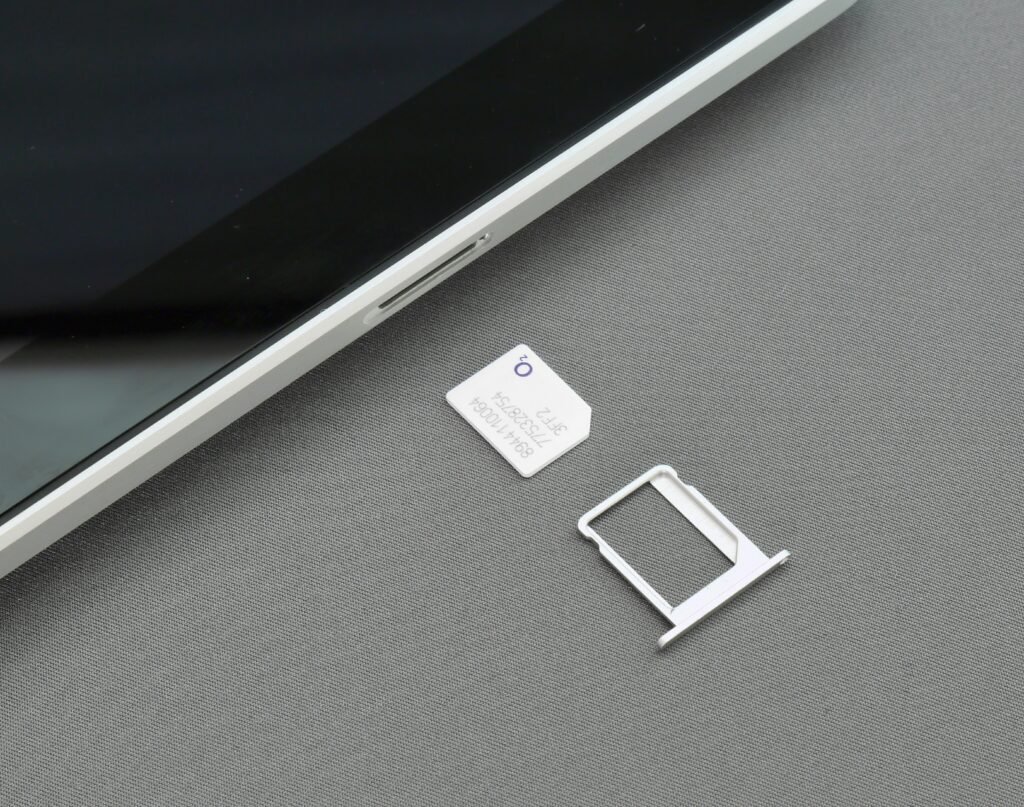
If your eSIM is stuck, you may want to wait a little longer than the typical two minutes. Some activations can actually take a little longer. However, if you have waited 30 to 60 minutes with no success, there is likely an issue.
The most common problems may be unexciting, but troubleshooting these issues may still be critical.
If your internet or Wi-Fi is unstable, this can lead to a failed or stuck activation. Your phone needs to download an eSIM profile, and if the Wi-Fi is unstable and drops, the successful activation of the eSIM is at risk.
Try a different, secure, and stable Wi-Fi network. If you have to use a public Wi-Fi network, be advised that some even block certain activation processes.
There may also be delays with your carrier.
This can be the case while the carrier maintains a backend process and during the mapping of the number to the carrier.
If a QR code is used and then eSIM is deleted from your phone, that code will most likely not work again.
This is perhaps the most annoying eSIM problem. A lot of people assume the eSIM QR code is akin to a password; it isn’t. Most of the time, you will need to contact the carrier for a replacement.
Unsupported or Locked Device
A phone locked to a certain carrier will likely not support eSIM activation for the carrier of your choice. This may also be the case with phones that, in your area, do not support eSIM.
This is often the case with imported, secondhand, and phones purchased via foreign carrier installment plans.
Outdated Software
Older versions of iOS and Android, as well as updates to the supporting carrier software, may contribute to activation issues.
Line Settings
An eSIM can be activated but not selected for data or calls. In this case, many users assume that activation failed. Check default voice line, SMS line, and mobile data line after installation.
Network Issues
An eSIM may install in a weak signal area, but will not register. Move to an area with better network coverage and restart your device.
Things You Can do to Avoid Delays in eSIM Activation
Although delays mainly depend on the carrier, there are some things you can do to help avoid delays on your side.
Do all of the following prior to activating your eSIM:
- Phone charged above 50%
- Stable Wi-Fi
- Software updated
- Ready QR code
- Do not scan the QR code on an incorrect device.
- Only remove the eSIM if your carrier instructs you to.
- Don’t remove your old SIM until your carrier confirms the conversion.
- Ensure your phone is unlocked.
- After installation, restart your phone.
- If needed, set the eSIM as your default mobile data line.
If this is your first time converting a physical SIM to an eSIM, pick your timing wisely. Don’t schedule your conversion five minutes before an online exam, a job interview, an OTP check-in, a bank check-in, or a check-in for a flight. It’s going to backfire.
The conversion is best done when you have:
- A good Wi-Fi connection
- A separate phone
- Time to call support
- No need for OTPs
- The carrier’s helpline still open
This is significant as banking apps, university apps, and verification apps communicate via SMS. Converting your number makes you vulnerable as you may lock yourself out of several important services.
As a student or professional, the best time is usually late afternoon or early evening, not midnight, because if things don’t work out, support is nearly unreachable.
eSIM: What Users Should Know
For users in Globally, eSIM activation can often differ from simply purchasing and activating an international travel eSIM online.
Local providers may require a visit to a verification center to convert a number to an eSIM (as with Jazz, Zong, Ufone, and Telenor Globally). Here, services may include biometric verification and QR code issuance.
Jazz has made certain processes easy for their eSIM activation. Customers go to Jazz Experience Centers, franchises, or authorized retailers, receive a QR voucher post-registration, and scan it to have their eSIM activated in five minutes. Zong has mentioned BVS verification and collection of a physical voucher along with the eSIM QR code as part of their process. Similarly, Ufone has mentioned that customers have to go to the service center, franchise, or self-service booth to receive the QR code post-BVS verification.
This leads us to believe that the five-minute activation may only refer to the steps that are required to be done on the customer’s end after registration. The complete process may take hours due to the queue, verification delays, system malfunctions, or issues at the franchise level.
A Practical Example Based in Pakistan:
You walk into a franchise to convert your physical SIM to an eSIM in Islamabad. The representative processes your request, verifies your CNIC, and hands you an eSIM QR voucher. You connect to Wi-Fi, and the line is scanned to deliver an eSIM within minutes. The process in its entirety can take between 20 to 45 minutes, depending on the franchise.
Something to consider:
You go on your lunch break or the biometric device is out of order. The process to scan the QR code can take five minutes, but the complete process can take hours.
When someone asks you how long the eSIM activation process is, your answer can vary depending on whether you are talking about the QR code scan or the entire carrier process.
What To Do When eSIM Activation Fails
Do not tap random settings when the eSIM does not activate. Approach the issue methodically, starting with the following basics to rule out the most common problems first:
- Toggle airplane mode.
- Restart the phone.
- Ensure the Wi-Fi is working.
- Check the cellular settings for the eSIM.
- Ensure the eSIM line is enabled.
- Set the eSIM line to mobile data.
- Check for any available updates for the phone’s software.
- Check for updates to the carrier’s settings.
- Move to an area with better cellular coverage.
- Reach out to the carrier for further assistance.
If the eSIM profile downloads and there is no signal, the problem is likely carrier registration. If the profile fails to download, the problem is likely provided by the carrier’s server, valid QR code, phone compatibility, or internet.
Common mistakes when trying to troubleshoot the eSIM:
- Avoid quickly deleting the eSIM.
- Do not scan the same QR code on multiple devices.
- Do not reset the network settings if you don’t know the implications.
- Expensive phones do not mean eSIM capability.
- Do not wait if your old SIM is no longer working.
Contact the carrier and ask them the following questions:
- Has the eSIM profile been issued?
- Does my number map to the eSIM ICCID?
- Is the QR code still valid?
- Has my physical SIM card been deactivated?
- Is my device eSIM compliant?
- Do I require a new QR code?
This is the best way to reach support quickly. E-mailing them and stating a problem such as “my eSIM isn’t working” leads to a lot of generic starting troubleshooting steps. Asking these direct questions focuses the support faster.
Frequently Asked Questions
Once the eSIM QR code is scanned, it is typically a 2 – 5 minute process for the iPhone to receive the eSIM profile. However, it can take 30 minutes or longer for a carrier to approve the conversion of a physical SIM or the completion of an eSIM transfer. If the process takes more than an hour, verify the Wi-Fi signal and available iOS updates. Also, verify carrier settings and that the QR code is still valid.
Yes, generally it is possible to use the eSIM almost immediately after the profile is downloaded and registered to the network. However, in the case of a travel eSIM, the data may only become usable once the destination is reached.
Your eSIM may not be the default data line. Change the mobile data line in the SIM settings. Also, verify APN settings, roaming for travel eSIMs, and that your plan includes data.
In most cases, the answer is no. Many eSIM QR codes are designed to be single-use codes. To move the eSIM to another phone, you will need to reach out to your carrier to request a transfer or to generate a new QR code.
Conclusion: eSIM Activations Are Quick with a Smooth Process
Most eSIM activations are designed to be fast. With a correctly provisioned eSIM profile by the carrier, a compatible phone, and a stable internet connection, a user can be connected in minutes.
Delays are typically caused by the carrier verification and number conversion processes, as well as locked devices, reused QR codes, poor Wi-Fi, and unsupported phone models. Activation of the eSIM does not just happen when the QR code is scanned. The eSIM verification process, profile assignment and download, and registration to the carrier’s network all happen after the QR code is scanned.
The general time frame for eSIM activation is 5 to 30 minutes. However, the user should expect to wait longer for in-store verification and for converting a number.
To avoid long frustrating activation delays, ensure your phone is compatible and your software is updated. Connect to strong Wi-Fi and have your carrier support details on hand.
Thank you for visiting ilmydunya.com for mobile technology guides, SIM updates, and easy tech explanations.