
When you’re looking for a powerful operating system, Ubuntu is one of the most reliable and popular options available. It doesn’t matter if you’re a student, developer, or any kind of user. Knowing the Ubuntu system requirements is critical before trying to install it on your device.
I will tell you everything there is to know about the Ubuntu system requirements. I will tell you about the required and recommended hardware, specifications for each version, and general tips to help you get the best performance possible.
What’s Ubuntu?
Ubuntu is a Linux based, open-source operating system that is free to use. It is developed by Canonical and it is a favorite of many users on all types of devices including desktop, servers, and even in cloud and development. Ubuntu user has a great experience of the friendliness and strong security of it’s users.
Why Ubuntu System Requirements Matter
Before you install Ubuntu, it is really important to check the system requirements. Many users will skip this step and face the consequences of a slow device, or a shutdown and unable to use it.
Knowing the Ubuntu system requirements allows you to:
- Ensure performance
- Prevent errors during install
- Select an appropriate Ubuntu version
- Manage hardware usage
Even if a system is only able to meet the bare minimum requirements, it is able to run Ubuntu, it is likely able to accomplish far more than it will. It is likely that it will provide an adequate user experience.
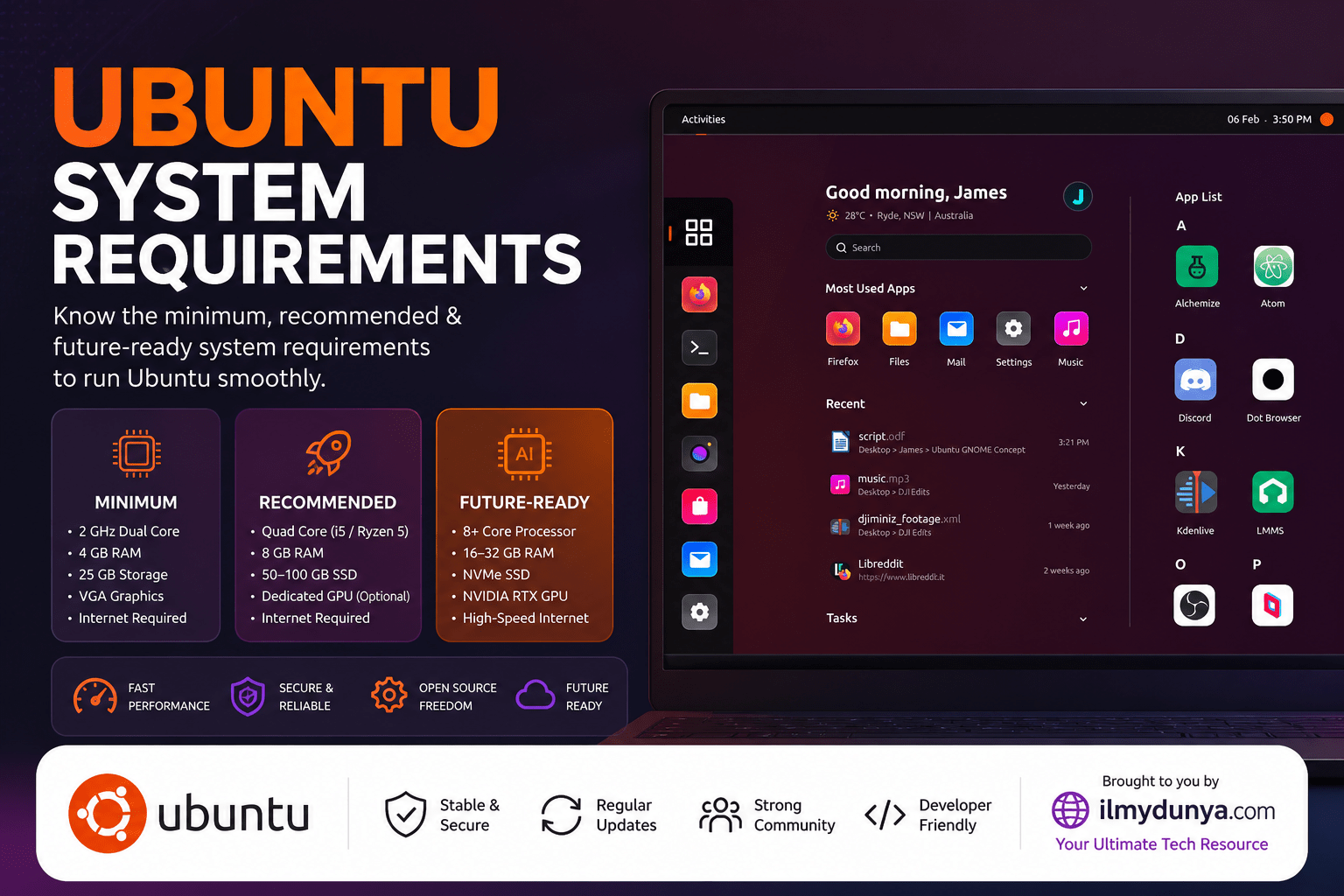
Minimum Ubuntu System Requirements (Desktop)
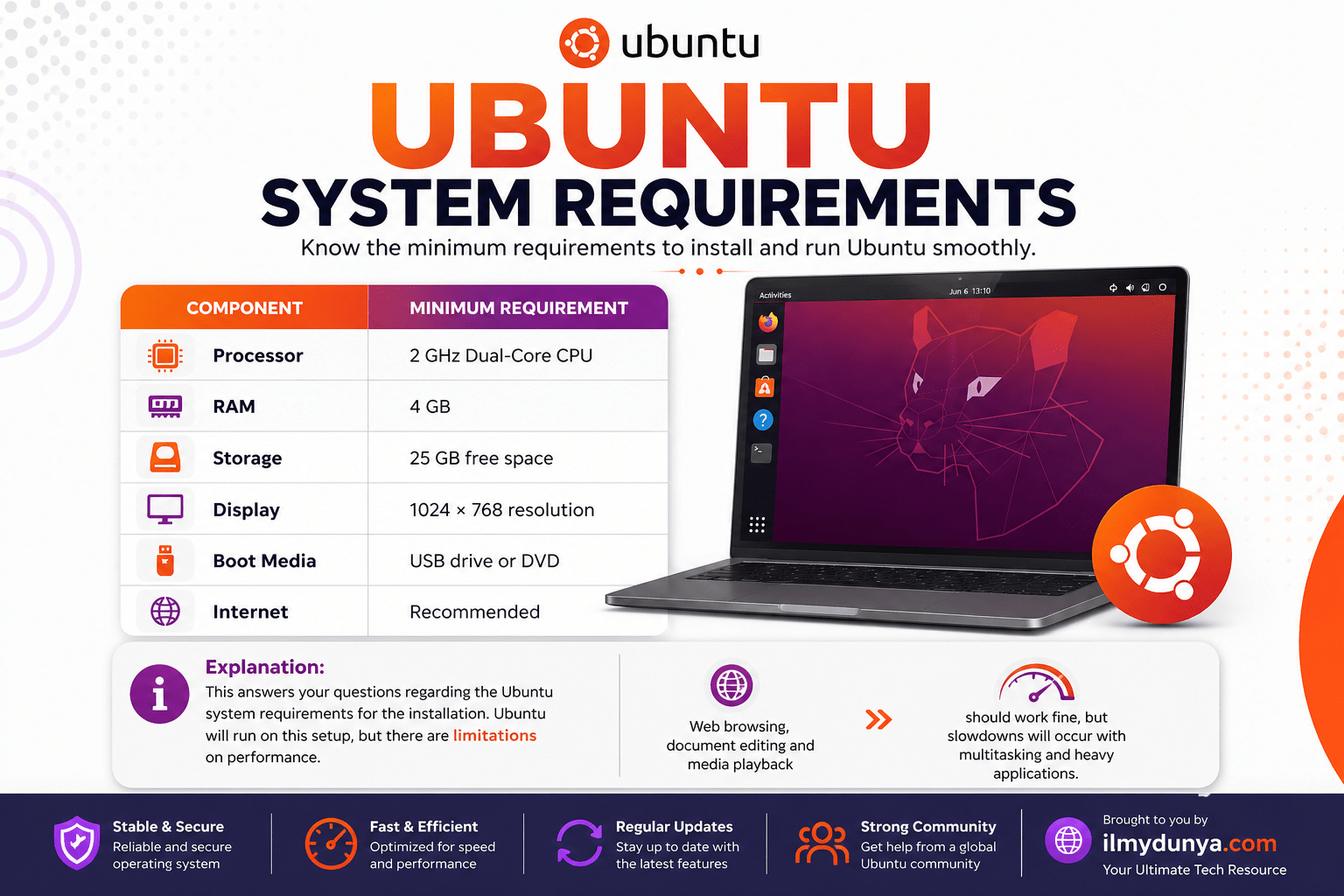
| Component | Minimum Requirement |
| Processor | 2 GHz Dual-Core CPU |
| RAM | 4 GB |
| Storage | 25 GB free space |
| Display | 1024 × 768 resolution |
| Boot Media | USB drive or DVD |
| Internet | Recommended |
Explanation:
This answers your questions regarding the Ubuntu system requirements for the installation. Ubuntu will run on this setup, but there are limitations on performance. Web browsing, document editing and media playback should work fine, but slowdowns will occur with multitasking and heavy applications.
Recommended Ubuntu System Requirements
| Component | Recommended Requirement |
| Processor | 2 GHz Quad-Core CPU |
| RAM | 8 GB or more |
| Storage | 50 GB SSD |
| Graphics | Integrated or Dedicated GPU |
| Internet | Stable broadband |
Explanation:
These are the recommended specs for the Ubuntu system requirements that will ensure you have a speedy, responsive system. Programming, multitasking, video editing and light gaming will all be run without a hitch. System speed is improved greatly through the use of SSDs over HDDs.
System Requirements Per Version of Ubuntu
| Ubuntu Version | RAM Required | Storage Required | Best For |
| Ubuntu Desktop | 4 GB | 25 GB | General users |
| Ubuntu Server | 1 GB | 2.5 GB | Hosting & backend services |
| Lubuntu | 1–2 GB | 10–20 GB | Low-end or old PCs |
| Xubuntu | 2 GB | 20 GB | Lightweight modern usage |
| Kubuntu | 4 GB | 25 GB | Advanced UI experience |
Explanation:
Lubuntu and Xubuntu are Ubuntu flavors with a lighter footprint. Ubuntu Desktop and Kubuntu are Ubuntu flavors with complete functionality and more visual effects. Only modern systems should consider those flavors.
System Requirements of Ubuntu for Older PCs
| Component | Requirement |
| Processor | 1 GHz CPU |
| RAM | 2 GB |
| Storage | 20 GB |
| Version | Lubuntu / Xubuntu |
Explanation:
Full Ubuntu Desktop will greatly affect functionality on older systems. Lightweight flavors are optimized to consume fewer resources. Higher efficiency nested and Ubuntu flavors are perfect for older systems.
Ubuntu System Requirements for Developers
| Component | Recommended |
| Processor | i5 / Ryzen 5 or higher |
| RAM | 16 GB |
| Storage | 100 GB SSD |
| GPU | Optional |
Explanation:
Development environments are resource-heavy and require more RAM and higher clocked CPUs to perform coding and compiling tasks and multitasking fluidly. Builds are faster on an SSD and files are quicker to access.
Ubuntu System Requirements for Gaming
| Component | Requirement |
| CPU | 3 GHz Quad-Core |
| RAM | 16 GB |
| GPU | NVIDIA or AMD |
| Storage | 100 GB SSD |
Explanation:
Good graphics performance is very dependent on the GPU and its drivers. While Ubuntu has support for many recent games, having a good system makes gaming a lot more enjoyable.
Ubuntu System Requirements for Virtual Machines
| Component | Minimum | Recommended |
| RAM | 4 GB | 8 GB |
| Storage | 25 GB | 50 GB SSD |
| CPU | 2 cores | 4 cores |
Explanation:
When virtual machines run in an OS, they will draw resources from the host OS, and so the RAM and CPU cores you give them will impact their performance and lag.
Storage Considerations: HDD vs SSD
| Storage Type | Performance | Recommendation |
| HDD | Slow | Not recommended |
| SSD | Fast | Highly recommended |
Explanation:
The best possible addition you can add to your system when you upgrade from an HDD to an SSD is your speed, boot, application, and, finally, responsiveness in your system.
Graphics Requirements
| Usage Type | GPU Requirement |
| Basic Tasks | Integrated Graphics |
| Gaming | Dedicated GPU |
| Video Editing | Dedicated GPU |
Explanation:
For gaming and video editing, your dedicated GPU is a must, while Ubuntu can function with integrated hardware.
Tricks for Ubuntu Performance Boost
Even if your computer only kind of meets Ubuntu’s requirements, you’ll still be able to squeeze out some performance using some of the following tricks.
- Use a lightweight desktop environment (XFCE or LXDE for instance)
- Don’t run a bunch of extra stuff at startup
- Add some extra RAM
- Use an SSD for your Ubuntu installation
- Make sure your Ubuntu installation is always up to date
Explanation:
There are a lot of performance boosts possible using these tricks, especially on weaker computers.
Mistakes to Avoid
- Putting the full version of Ubuntu on low-end computers
- Ignoring storage space
- Outdated drivers
- Running resource hungry software on low-end systems
Explanation:
Making sure that these things are set right will guarantee a more stable computer.
Conclusion
Having a good understanding of Ubuntu system requirements is key to having a good computing experience. Ubuntu can be very flexible system and can run on a wide variety of hardware, hitting the right mark on a version for your hardware and recommended specifications will make a big difference.
For a newer system, you can use Ubuntu Desktop. It’s a wonderful experience. On older systems, Lubuntu is an excellent option.
Frequently Asked Questions
Yes, but only Lubuntu, a more lightweight version of Ubuntu, is required.
It is for a lighter workload, but for more multitasking services, 8 GB would be best.
You will need at least 25 GB but recommended 50 GB for optimal performance.
Especially lightweight distributions, of course!
A GPU will not be absolutely necessary, but gamers and those using graphics-intensive applications will need one