

Windows operating system has changed throughout its life. After the hugely successful Windows 10, the next big release is Windows 11. This version has noticeable changes, additions, and improvements.
In this regard, several users have questions like, what are the differences in features, advantages, and other questions. This has led to the writing of many guides.
This guide by Ilmydunya covers Windows 10 and 11 differences in performance, design, gaming, security, etc. to assist users in making the best choice.
Windows 10 Overview
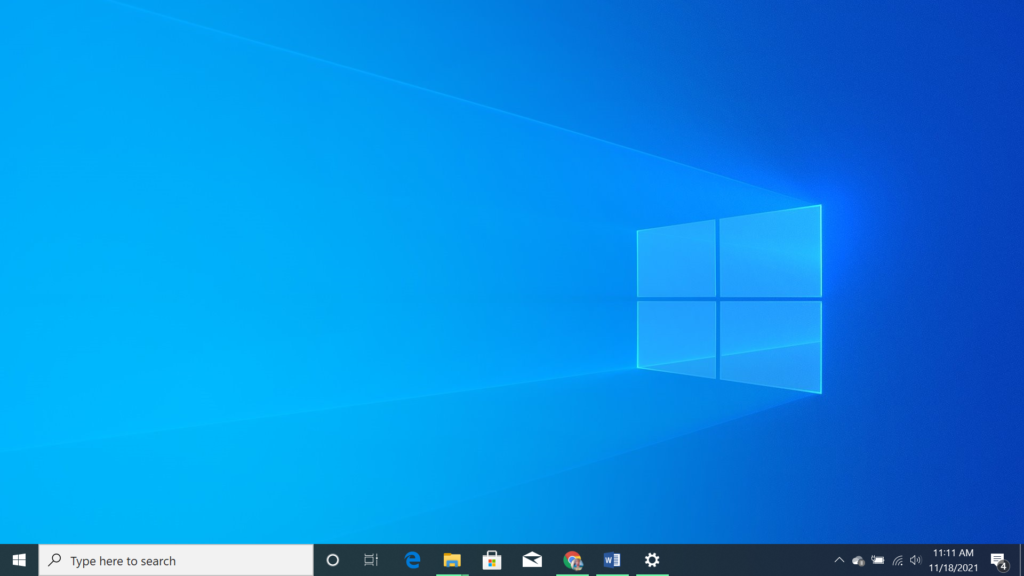
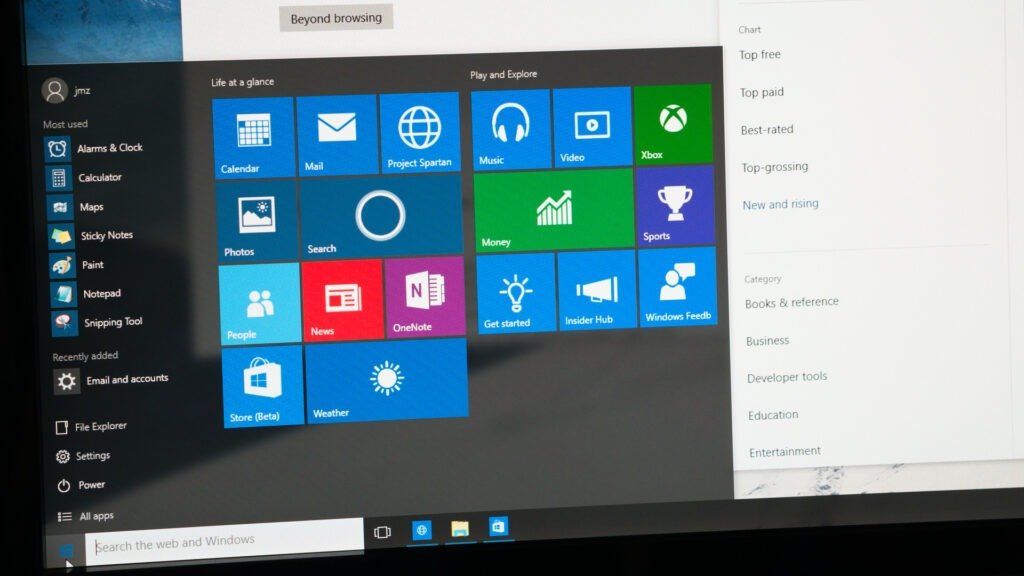
Windows 10 was made public on July 29, 2015. Within a very short period, Windows 10 was able to gain a very big market share and millions user evaluations. This operating system is very user friendly, and stable owing to its high levels of system compatibility.
Important Functions of Windows 10
- The start menu is user friendly.
- Windows 10 can easily run a lot of older versions of software.
- The OS is constantly scheduled to receive updates, and patches.
- The OS has a UI that is common among Windows users.
- Windows 10 is made to run on older machines.
Windows 10 is a good operating system option for users who value stability and flexibility.
Overview of Windows 11
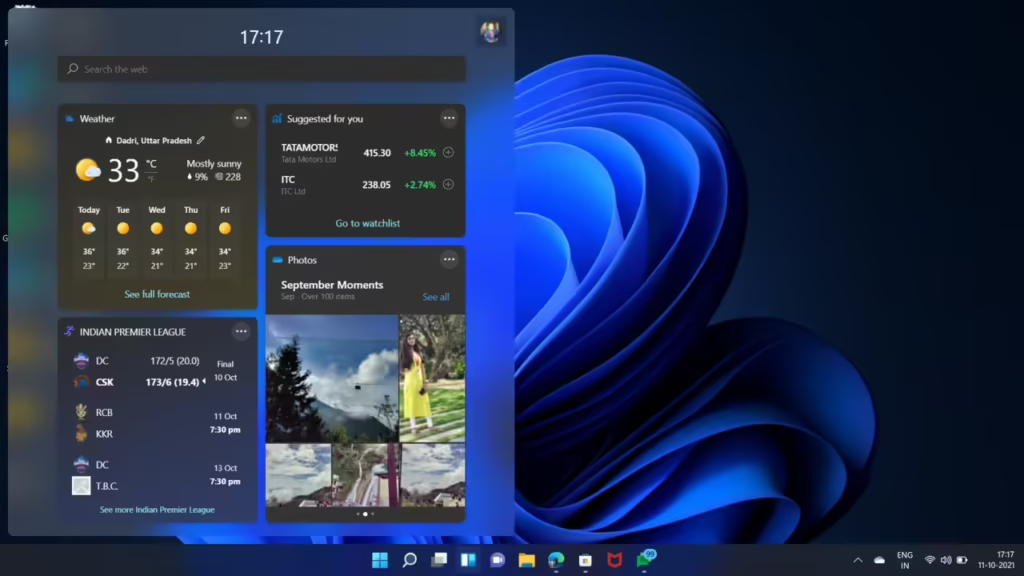
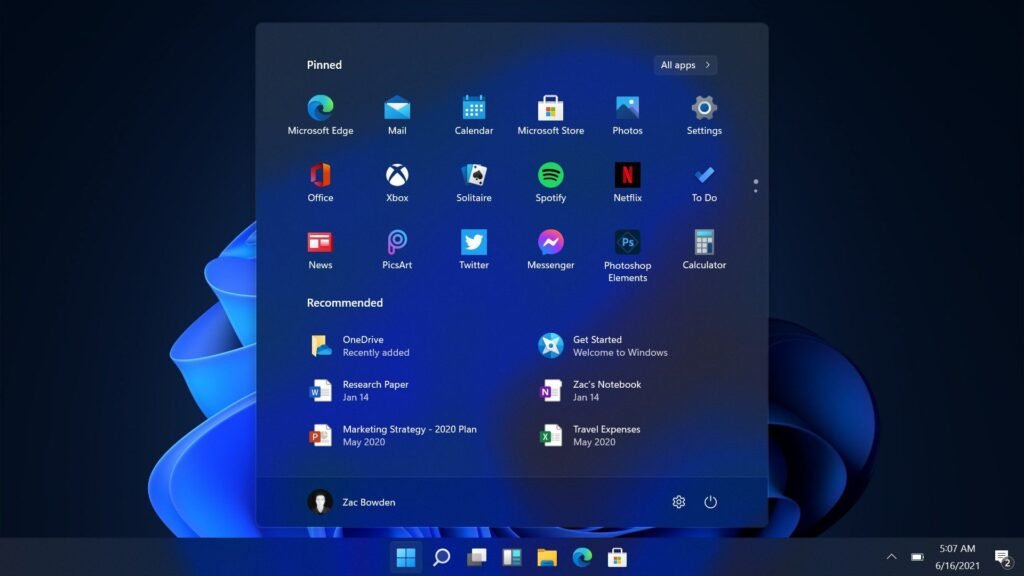
Microsoft Windows Operating Systems newest release is Windows 11. Windows 11 was released to the general public on October 5, 2021. Windows 11 like its predcessors aims to provide stability, compatibility, and a user friendly UI. Windows 11 also brings a whole new generation of features to the users. Windows 11 is ready for streaming and gaming, and has great features that gives the user the control to change the performance.
Main Features of Windows 11
- New UI
- Gaming Features
- Enhanced Security
- Centered Start and Task Bar
- New Snap Layouts
- Widgets
Windows 11 is built for Windows users who want a new, modern, and fast experience, as noted on ilmydunya.
Windows 10 vs Windows 11: Main Differences
Design and User Interface
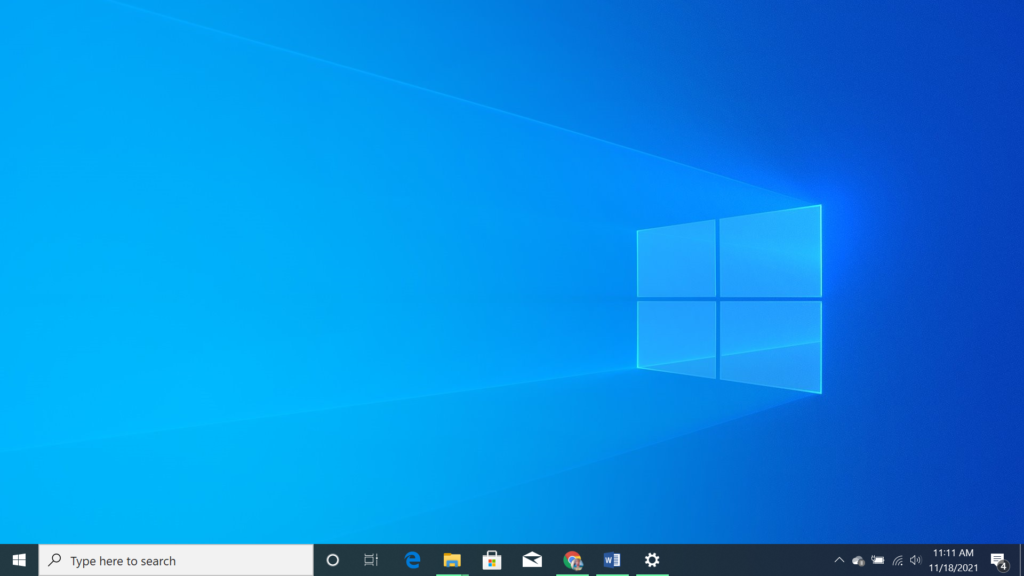
Windows 10:
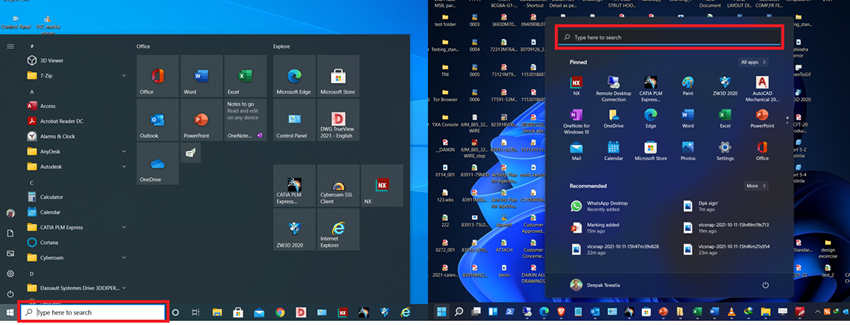
- Start Menu on the left side
- Classic and Familiar Look
- Sharp edges showing a more traditional layout
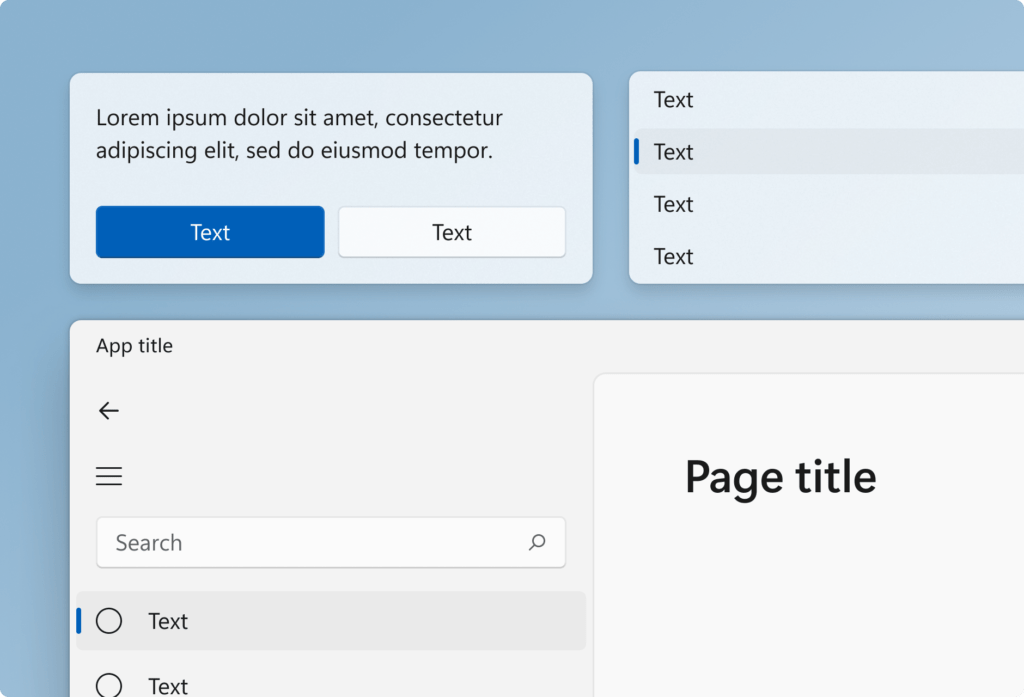
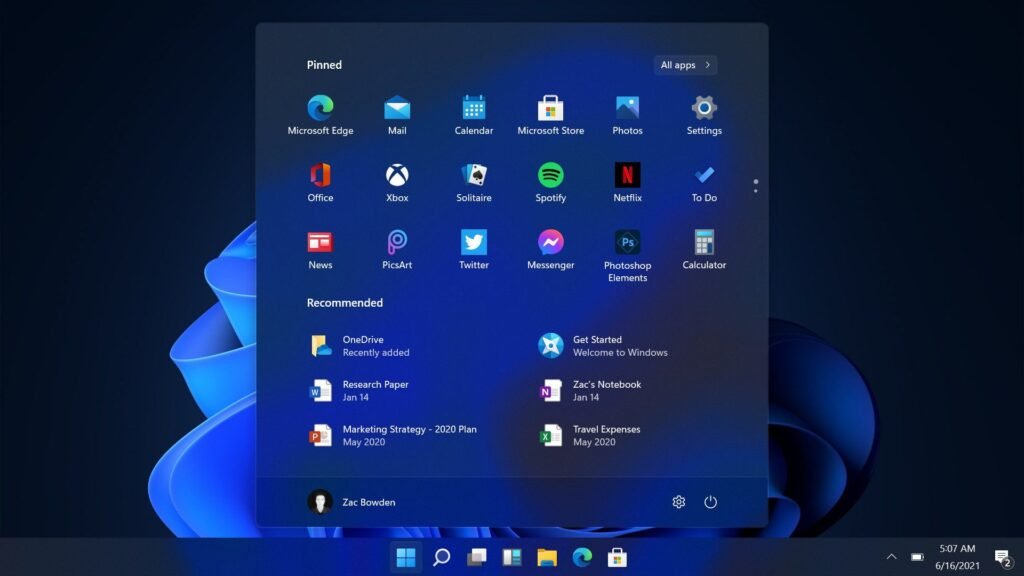
Windows 11:
- Smooth animations and rounded edges
- Better overall aesthetics
- Centered Start Menu and Task Bar
ilmydunya Insight: Windows 10 focuses on familiarity, while Windows 11 has a more modern design.
Speed and Overall Performance
Windows 10:
- Performance is stable and consistent
- The device can be older, performance is still good
- Standard window snapping
- Limited multitasking features
Windows 11:
- Much quicker boot time
- Better performance in memory management
- Background processes run more smoothly.
- Snap Layouts and Snap Groups
- Virtual desktops have been improved
- Tasks are better organized
Windows 11 is said to be faster than Windows 10, but still, Windows 10 is said to be more suitable for older devices, according to ilmydunya. Windows 11’s multitasking features are very beneficial for students and professionals.
Gaming Experience
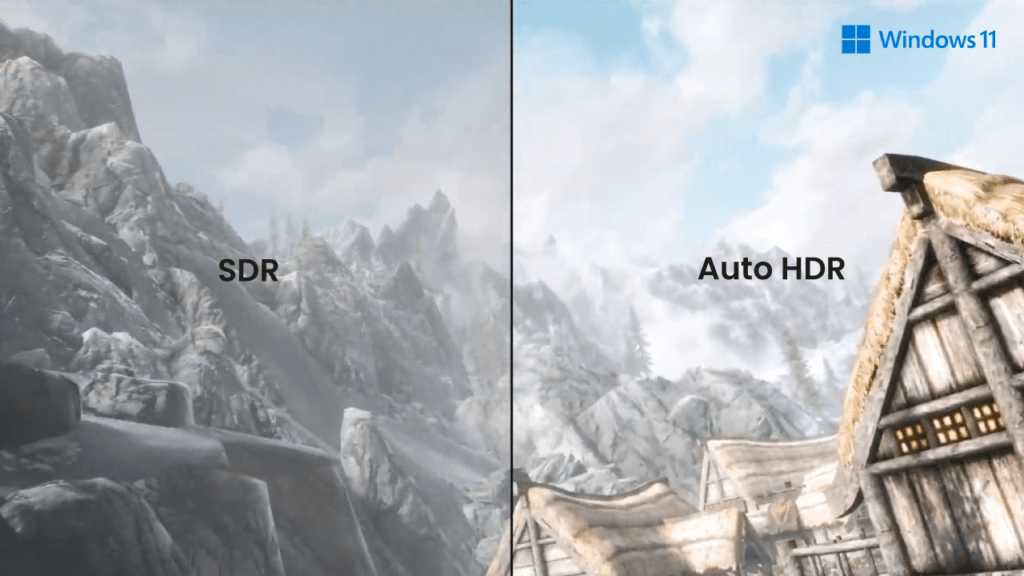
Windows 10:
- Gaming is well supported.
- Almost every game is able to be maintained.
Windows 11:
- auto HDR gives better game visuals.
- Games load faster with Direct Storage.
- better integration with Xbox
Ilmydunya’s advice: Windows 11 is better because if you’re a gamer, it has a lot more features than Windows 10.
Compatibility
Windows 10:
- Supports almost all software
- Ideal for legacy applications
Windows 11:
- Most modern apps are supported
- Some older software are more prone to issues.
- If you depend on older software, Windows 10 is still a safer option.
Security Features
Windows 10:
- Standard security features
- Antivirus and firewall are supported
Windows 11:
- TPM 2.0 is a requirement
- Secure boot is enabled
- Robust security based on hardware
For contemporary threats, Windows 11 is more secure, according to ilmydunya security recommendations.
| Category | Windows 10 | Windows 11 |
| System Requirements | Acceptable performance with older hardware and systems. | New systems and processors are required. Advanced performance improvements needed. |
| Hardware Compatibility | Acceptable performance with older hardware and systems. | Requires new systems and processors for optimal performance. |
| TPM Requirement | Not required | Required on all advanced systems and processors. |
| Performance | Designed for older hardware and systems. Performance improvements are limited. | Optimized for new hardware and systems. Maximum performance on higher-end systems. |
| Support & End of Life | Support and updates will be infrequent, and ending soon. | Updates will include increased security and performance improvements. |
| User Interface | Familiar and user-friendly interface. | Modern and sleek. Better for newer users to Windows 11. |
| Gaming Features | Limited gaming features. | Advanced gaming features. |
| Security | Basic security features available. | Advanced security features available. |
| Multitasking | Limited multitasking features. | Advanced multitasking features. |
| Software Compatibility | High compatibility with older hardware and systems. | Low compatibility with older hardware and systems. |
| Learning Curve | Familiar for long-standing users, easy to get used to. | New features and interface may increase learning difficulty. |
Final Verdict
There is a lot of strength in both Windows 10 and Windows 11 as operating systems, however, they cater to different types of users and needs. Windows 10 is more about stability and compatibility while Windows 11 is more about cutting-edge performance, a more advanced design, and incorporating new technologies for the future.
If you are looking for a more modern experience and requirements with technology and advanced features, Windows 11 is undoubtedly the better option. On the other hand, if you are looking for a more straightforward and simplistic technology experience, especially with an older system, Windows 10 is still a reliable option.
Conclusion
When evaluating operating systems, Windows 10 and Windows 11 are the final options. With Windows 10 you gain simplicity and reliability, while Windows 11 improves productivity with better security and additional features. Windows 11 marks a more performance-centric design, and in the words of ilmydunya, if your PC meets the system requirements, it is the better option. Windows 10, on the other hand, will still be a good option for people that want reliability and compatibility.